Manage Module Profile
Overview
SSRD lets you customize how your module is portrayed on https://blishhud.com/modules. There are 5 fields to consider.
Module Summary
This field does not support markdown or any other kind of formatting. For more complicated profiles, you'll need to provide a Profile Post.
The Module Summary is a short description of your module. It should quickly describe the purpose of your module in a way that captures the users attention.
It is used for:
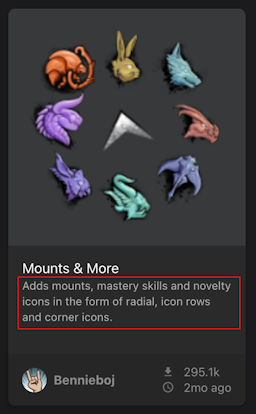
- The short description shown below the module image on https://blishhud.com/modules.
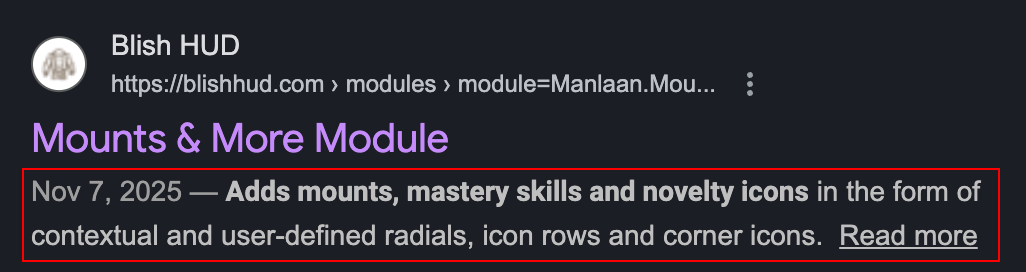
- The metadata provided to Google search for your module's page.
- The fallback text shown on your module's page if no Profile Post is provided.
Profile Post
The Profile Post is a link to a GitHub discussion post. SSRD will pull the source of your discussion post to populate your module's description on the website.
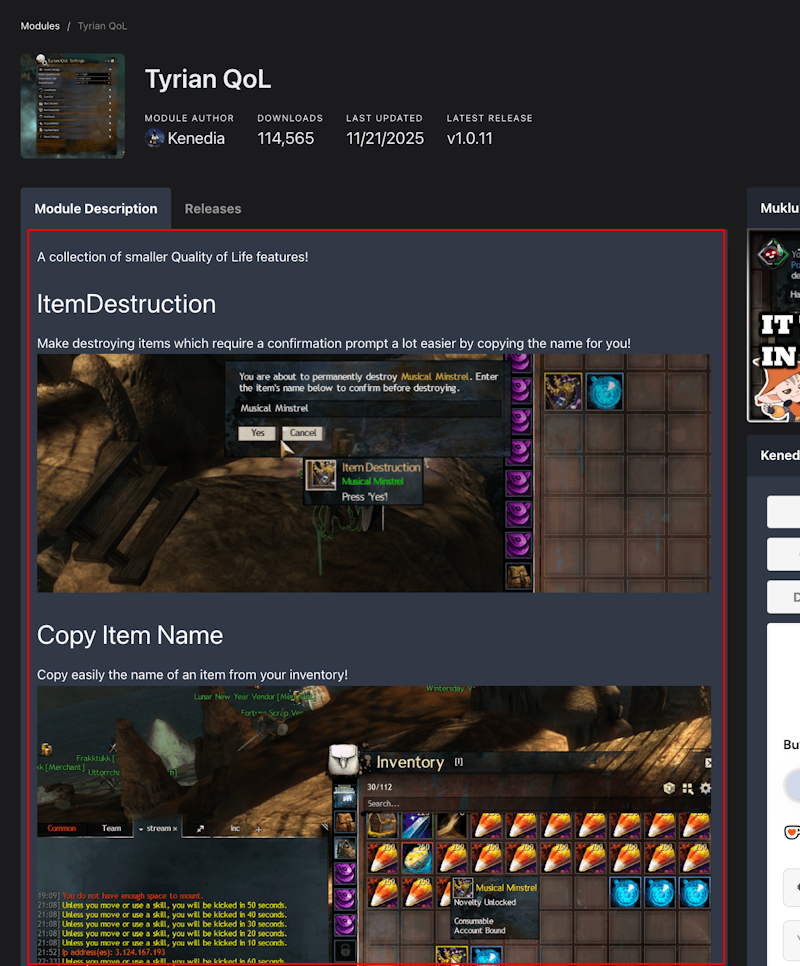
For example:
Your module's profile supports:
- Much of the extended markdown support that GitHub provides (including collapsible sections).
- Images, GIFs, and video that you upload to your discussion post.
- Embeddeding YouTube videos (just provide a standard link to a YouTube video and SSRD will convert it to an embedded video in your module's description).
SSRD provides you with a webhook at the bottom of the profile page. You can configure GitHub to call this webhook anytime you make changes to your discussion post to have SSRD automatically update your module's profile.
Issues & Suggestions
The Issues and Suggestions fields allow you to add a URL that users will see on your module profile page as Report a Bug and Suggest an Idea.
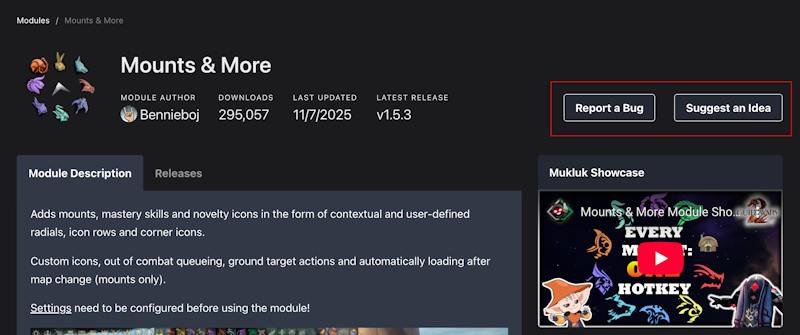
If the field is left blank, the corresponding button will not be shown. These fields most typically point to GitHub issue pages or discussion pages - however you'd best like to receive feedback.
Module Hero
The Module Hero is the module image shown with your module. It should be at least 192x192 but must be 256x256 or less. The image must be square (1:1) or the upload will be ignored.